How to link an approval project to a flow
This guide provides step-by-step instructions to help users link an approval project to flows within LinkFlow.
📌 Target audience: Users responsible for managing flows and approvals.
Interactive Guide
Instructions
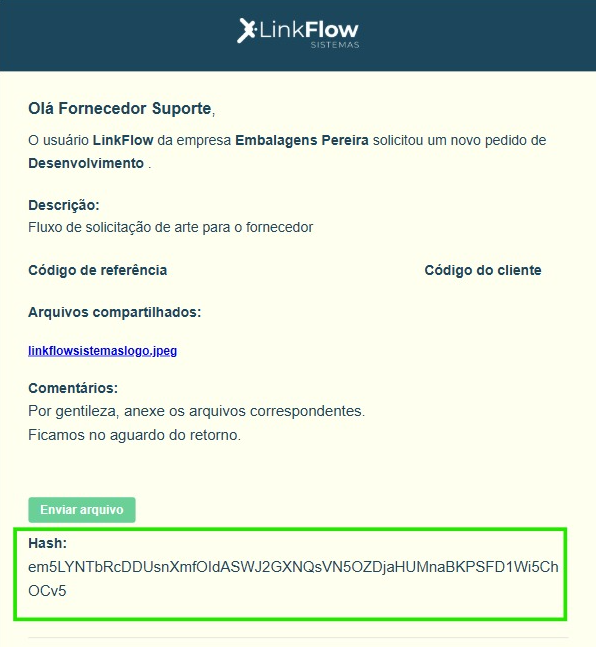
1. Get the Hash code
- Access the approval request email.
- Locate the Hash field.
- Copy the provided code.
2. Access the flow
- Access the LinkFlow platform.
- Navigate to the desired flow.
3. Access the Approvals tab
- Inside the flow, click the Approvals tab.
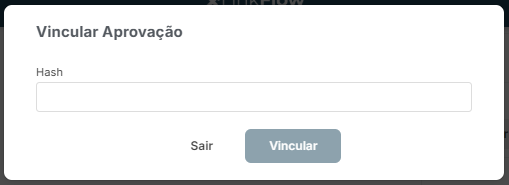
4. Link the Approval
- Click the Link Approvals option.
- In the available field, paste the copied HASH code.
- Click Link.
After accessing the flow again, the item will already be linked automatically.
💡 Important: Only approvals with status “Waiting for sending” will be available to link to the flow.
Done! Now you know how to link an approval project to a flow in LinkFlow.
If you have questions, contact the team responsible for the process.